
Case study
Personal Projects
Beyond web development, I build apps and tools to solve problems in my own workflows. These projects let me explore new technologies, experiment with ideas, and create software tailored to how I work.
Case file #4001: Personal Accountant
Project details
- Role
- Product Designer & Developer
- Platform
- Desktop & Android
- Technologies
- Python, PySide6, Kivy, SQLite
- Status
- Functional; ongoing development
A personal finance tool, built around the way I manage money.
I wanted a better way to track cash flow, manage budgets, and understand where my money goes. After relying on spreadsheets and finding existing apps that didn't fit my needs, I decided to build a solution tailored to my own financial workflow.
What began as an experiment with Python grew into a usable desktop application with an Android companion, making it easier to record transactions and monitor my finances.
From Spreadsheets to a Dedicated Application
I had been tracking income, expenses, and budgets in a spreadsheet, but I wanted a more dedicated workflow for recording transactions and understanding my financial position. Around the same time, I was experimenting with Python scripts for personal use in WSL.
During the Christmas break of 2025, I brought those interests together and began developing Personal Accountant—a tool designed around my own financial tracking needs.
The Desktop Application
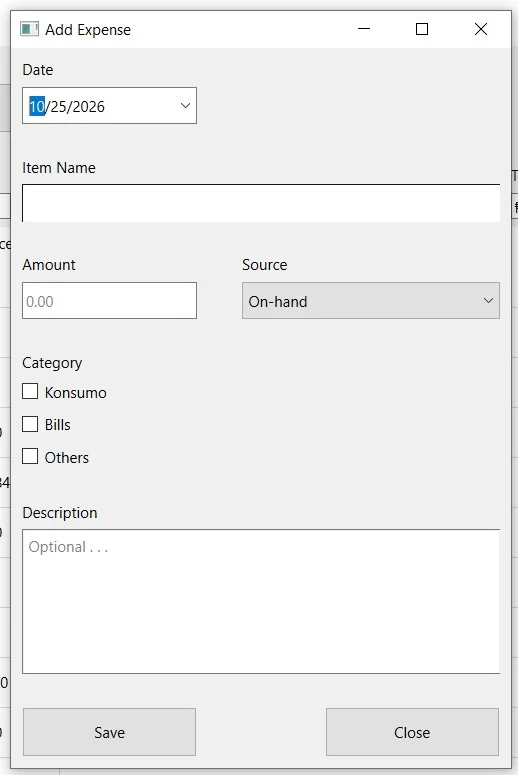
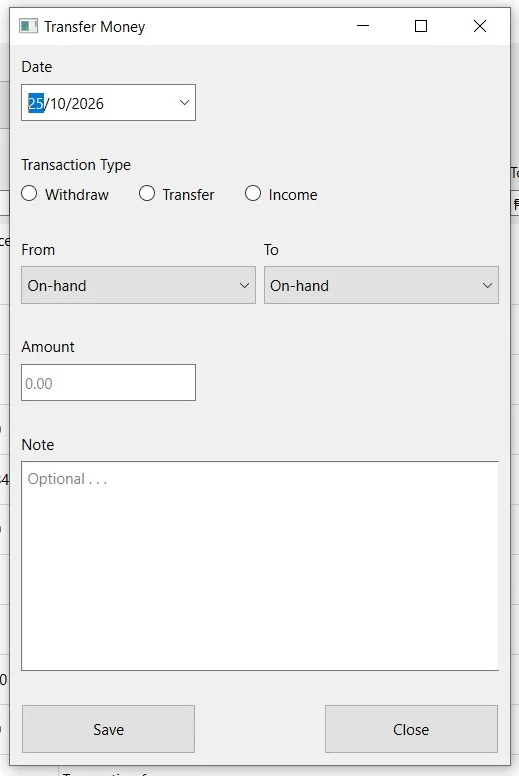
The desktop app is the primary platform, providing the core functionality for managing financial records. It stores transactions in a database, supports monthly spending reviews, and brings balances across bank accounts, e-wallets, and cash into one view.
This gives me a clearer picture of my overall cash position and helps me monitor how money moves across my accounts.
A Mobile Companion for Everyday Spending
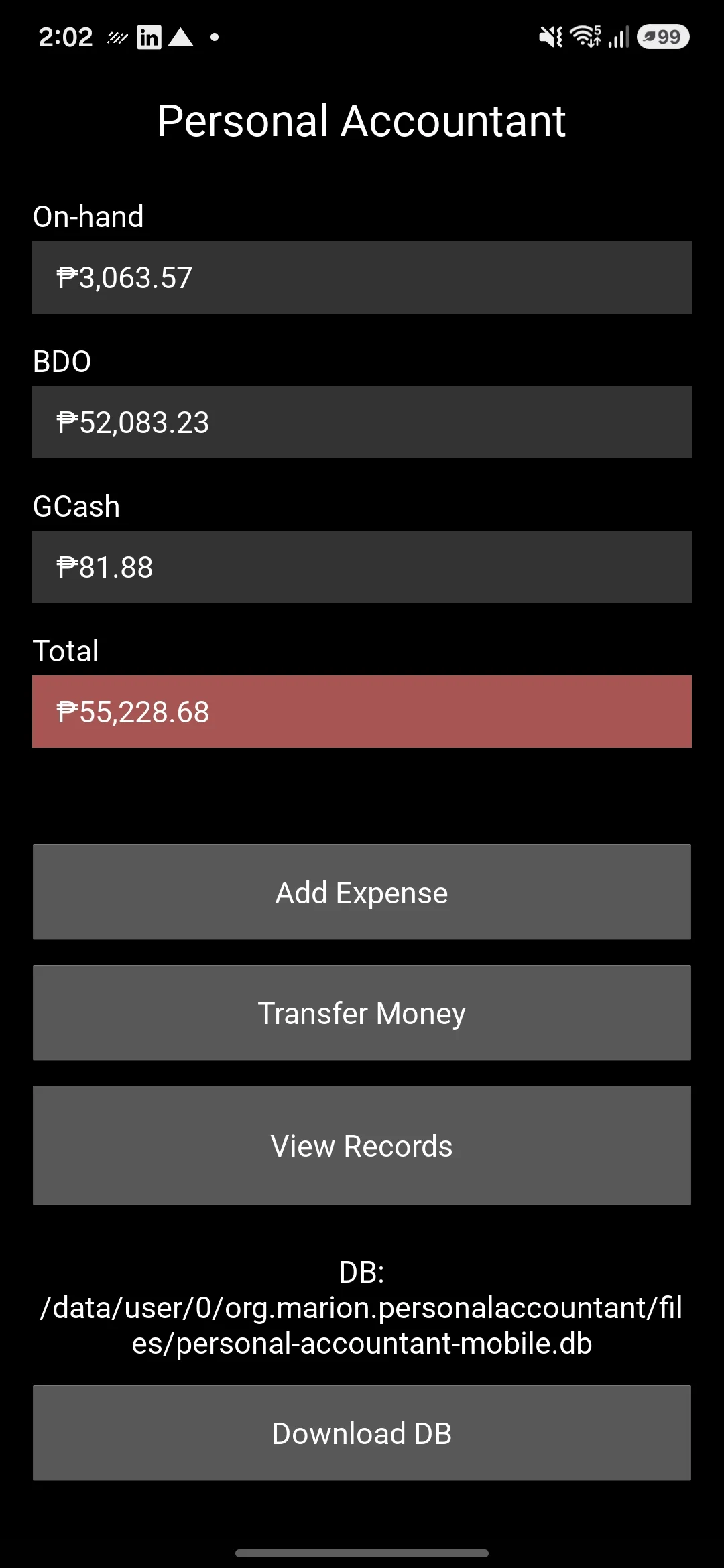
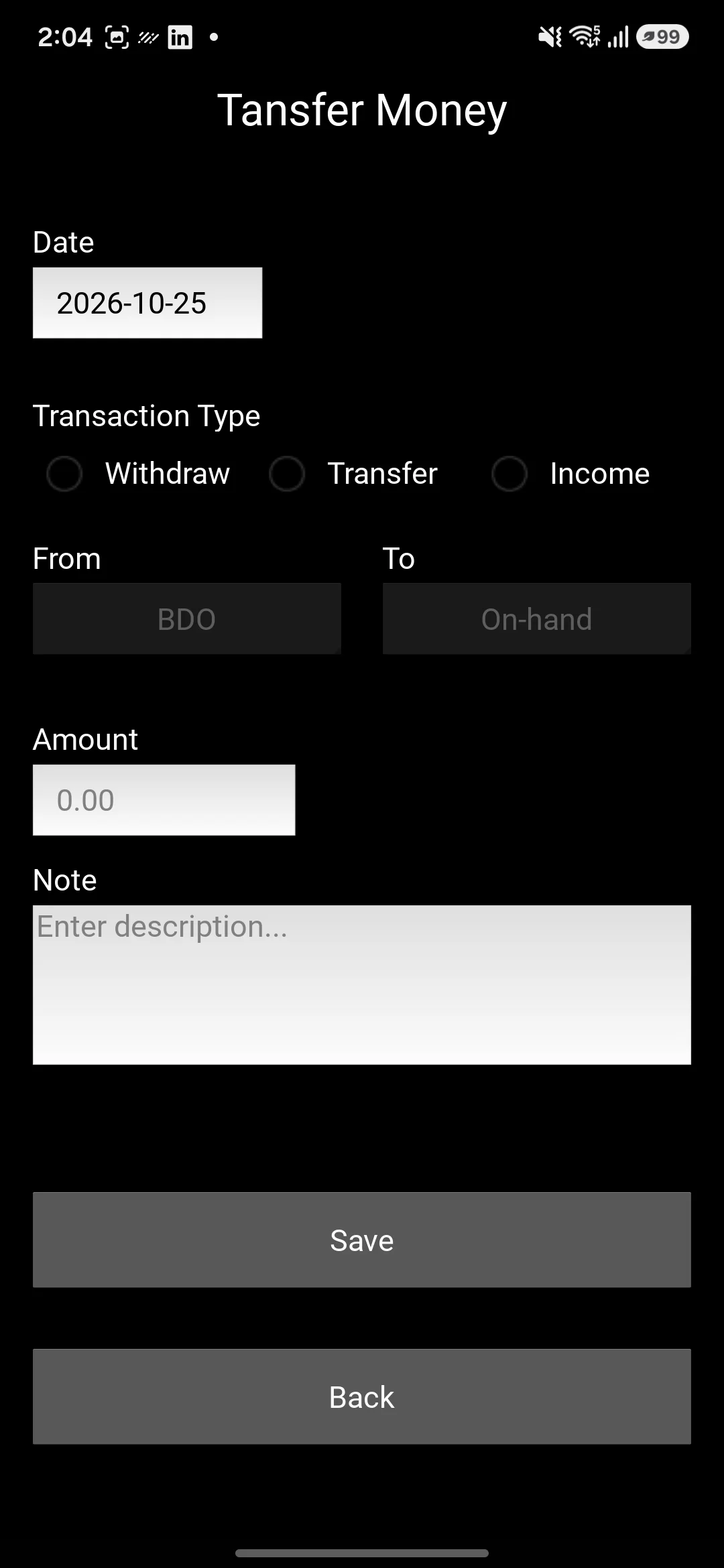
I also developed an Android version to complement the desktop application. The goal was to make transaction recording more convenient when I'm away from home, so I can capture spending as it happens and incorporate those records into my desktop workflow later.
Rather than duplicating the desktop experience, the mobile app serves as a companion to the primary application.
A Desktop-First, Cross-Platform Workflow
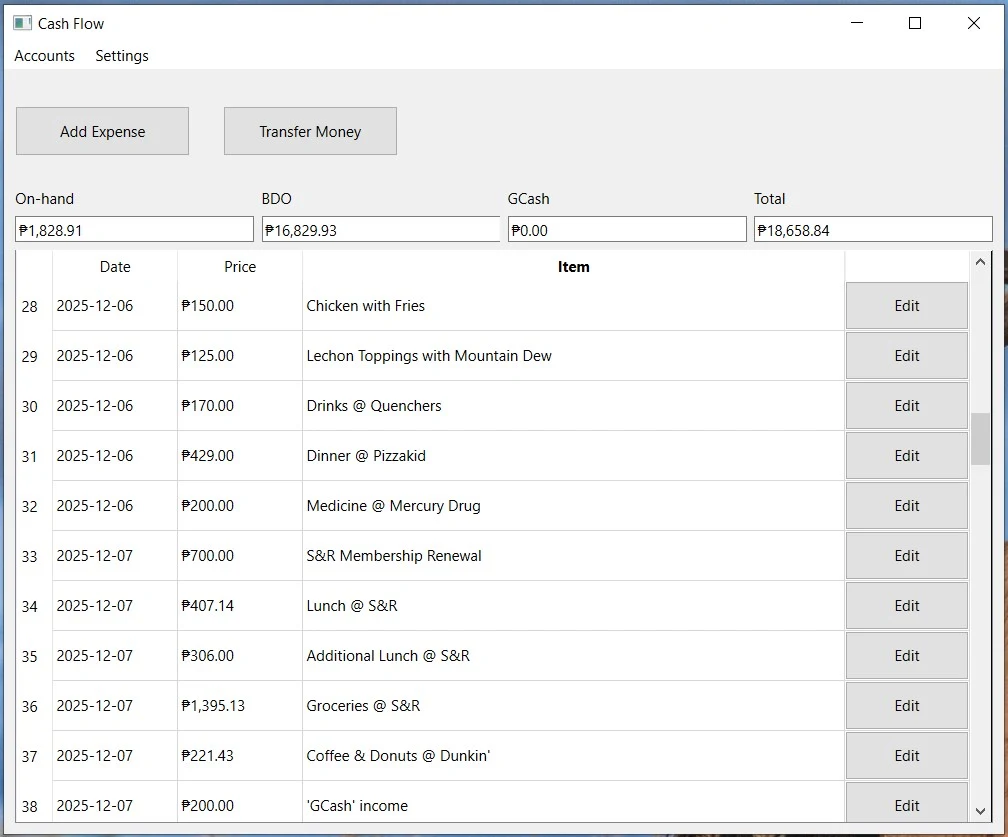
The desktop application serves as the primary environment for managing financial records. Its main window presents a cash flow table with transaction dates, item names, and amounts, alongside individual account balances and a combined total across accounts.
To extend this workflow to Android, I implemented a file-based transfer process using Google Drive. The desktop database is stored in a Drive folder, allowing its changes to be uploaded to the cloud. The mobile app can download that database using its Google Drive file ID, giving me access to the records while away from my computer.
For transactions recorded on mobile, the app creates a database dump that I transfer back to the desktop environment. This approach provides a practical way to move financial records between platforms without requiring a dedicated synchronization service.
The current workflow replaces the desktop database with the transferred mobile copy, prioritizing simplicity for the initial prototype. A more robust approach to merging records remains a potential future improvement.
- Desktop applicationPySide6 · Primary interface · SQLite database
- Database file upload / download
- Google DriveCloud-hosted copy of the desktop database
- Download database to mobile; transfer database dump back to desktop
- Android companionKivy · Transaction entry · Database download
Prioritizing a Working Prototype
With limited time before returning to regular work, I focused on delivering a usable application across desktop and Android. Rather than building a complex synchronization system, I implemented a straightforward file-based workflow using Google Drive and database exports.
This approach let me establish the core functionality first, while leaving room to improve data merging and synchronization in future iterations.
Project status
Personal Accountant is a functional personal project that I'm continuing to develop. My next planned improvement is filtering cash flow by spending category, making it easier to understand monthly spending on different commodities and use that information to make more informed financial decisions.
Longer term, I plan to revisit the data-transfer workflow and explore safer ways to merge records between desktop and mobile.